



Switching the Ignition On and Off
How to switch the Volkswagen ID.4 ignition on and off correctly, including the basic operating conditions and what the driver should expect from the vehicle.
Read guide




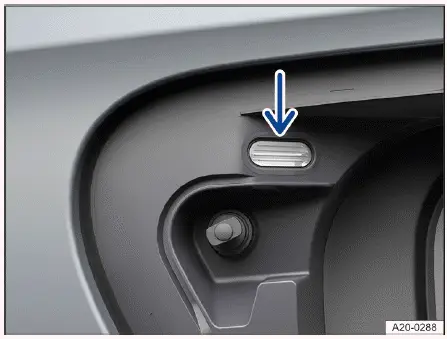
Fig. 1 Behind the charging socket flap: charging process
indicator.
The Volkswagen ID.4 is equipped with an integrated LED indicator located in the charging socket area, which clearly displays the current charging status → fig. 1 (arrow). This visual feedback allows drivers to quickly monitor the charging process of the Volkswagen ID.4 without needing to access the infotainment system.
LED displays
A label positioned near the charging socket explains the meaning of each LED signal → fig. 2, helping Volkswagen ID.4 owners easily interpret the charging status.
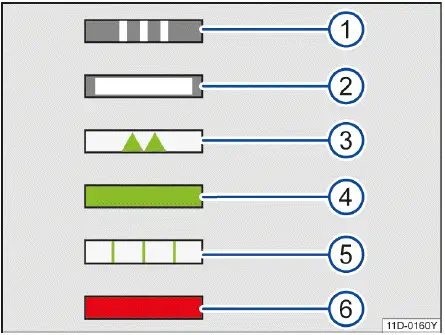
Fig. 2 LED light displays (general example).
Continuous white light: No active charging process is currently running.
Green combined with red indicator: Charging is occurring at a reduced current due to a detected issue, such as an improperly inserted connector.
 If the charging indicator on the Volkswagen ID.4 continuously signals a fault related to the power supply or charging system, contact an authorized Volkswagen dealer or qualified service facility immediately.
Volkswagen strongly recommends having any charging-related issues diagnosed and resolved by an authorized Volkswagen Service Facility to ensure safety and proper system operation.
Charging socket light
Under low-light conditions, the illumination around the charging socket of the Volkswagen ID.4 activates automatically in the following situations:
This lighting automatically switches off after a short period once the vehicle is locked or unlocked, enhancing both convenience and visibility.
Troubleshooting
 and
and
 Risk of fire
The red central warning light
 appears in the Volkswagen Digital Cockpit along with a warning message, accompanied by a continuous acoustic alert.
This indicates that the temperature of the high-voltage battery in the Volkswagen ID.4 is excessively high →
 .
.
1.
 Do not continue driving. Safely exit the vehicle and immediately contact emergency services.
If the warning message disappears, the indicator light
 remains visible.
DANGER
If there is a risk of fire involving the high-voltage battery of the Volkswagen ID.4, hazardous gases may be released and high-voltage components may remain energized. This creates a serious risk of burns, injury, or fatal electric shock.
Always follow the official emergency procedures outlined in the Volkswagen ID.4 manual for fire or accident situations.
The continuous warning tone can only be disabled by qualified specialists. Volkswagen recommends contacting an authorized Volkswagen dealer or service facility.
 Fault in high-voltage system
The red warning indicator illuminates, and a message appears in the instrument cluster display of the Volkswagen ID.4.
This indicates a malfunction within the high-voltage system. Critical components, including the high-voltage battery, may be damaged →
 .
.
Charging the high-voltage battery is no longer possible under these conditions.
DANGER
In the event of a high-voltage system fault in the Volkswagen ID.4, components may still carry live current. Contact can result in severe burns, electric shock, or death.
1.
 Do not continue driving. Park the Volkswagen ID.4 outdoors as soon as it is safe to do so and seek professional assistance.
The Volkswagen ID.4 charging system is designed with multiple safety layers, ensuring that any irregularities are clearly communicated to the driver for maximum safety and reliability.
2. End drive-ready mode in the Volkswagen ID.4 to ensure the high-voltage system is safely deactivated.
3. Contact an authorized Volkswagen dealer or authorized Volkswagen Service Facility immediately for professional assistance and diagnostics.
 High-voltage battery discharged and deep discharge possible
The red warning light illuminates in the Volkswagen ID.4 instrument cluster, accompanied by a message.
If the Volkswagen ID.4 remains stationary for an extended period, the high-voltage battery may become deeply discharged, which can cause irreversible damage to the battery system.
1. Charge the high-voltage battery of the Volkswagen ID.4 immediately to prevent permanent damage.
 High-voltage battery has been discharged
The yellow indicator light turns on, and a notification appears in the Volkswagen ID.4 display.
1. Recharge the high-voltage battery as soon as possible to restore normal vehicle operation.
 High-voltage battery charge level low
The yellow warning light activates, and the remaining driving range is shown in the instrument cluster of the Volkswagen ID.4.
The reserve battery level has been reached, meaning available driving distance is limited.
1. Charge the high-voltage battery promptly to continue driving safely.
 High-voltage system malfunction
The yellow indicator light turns on, and a message is displayed in the Volkswagen ID.4 instrument cluster.
A fault has been detected in one or more high-voltage components.
The Volkswagen ID.4 may still be driven, but performance or charging capability could be affected.
1. Have the high-voltage system inspected by qualified professionals as soon as possible. Volkswagen recommends visiting an authorized Volkswagen dealer or service facility.
 Error when calculating the range
The yellow warning light appears, and a message is shown in the Volkswagen ID.4 display.
There is a malfunction in the system responsible for estimating the remaining driving range.
1. Contact a qualified specialist. Volkswagen recommends an authorized Volkswagen Service Facility for accurate diagnostics.
 Emergency charging of the high-voltage battery
The white indicator light turns on, and a notification appears in the Volkswagen ID.4 instrument cluster. The charging socket indicator alternates between green and red.
Charging is being performed at a reduced current due to a detected issue, such as an improperly connected charging cable or a malfunction at the charging station.
1. Disconnect and reconnect the charging cable carefully.
2. If the issue persists, contact a qualified professional. Volkswagen recommends visiting an authorized Volkswagen dealer or service facility.
Charging Process Not Possible or Canceled
The red charging indicator on the Volkswagen ID.4 charging socket illuminates.
1. Reconnect the charging cable securely.
Or: Check that the charging connector is fully inserted.
Or: Verify whether the charging station is functioning correctly.
2. If the issue cannot be resolved, seek assistance from a qualified professional or authorized Volkswagen Service Facility.
The charging connector cannot be removed
1. During AC charging, unlock the Volkswagen ID.4 using the central locking system and immediately disconnect the charging connector.
Or: During DC charging, tap
 on the Infotainment display to release the connector.
2. If necessary, manually unlock the charging connector to avoid being stranded (→ Charging connector).
Afterward, contact a qualified professional. Volkswagen recommends an authorized Volkswagen dealer or service facility.
The charging cable protective circuit for the GFI outlet switches off
During the self-test, the protective circuit may detect irregularities if other electrical devices (e.g., household appliances) are used simultaneously.
1. Follow the correct connection sequence: first connect the charging cable to the external power supply, then to the Volkswagen ID.4 charging socket.
The charging time changes during DC charging
To protect the high-voltage battery in the Volkswagen ID.4 from overheating, the system may automatically reduce charging power after multiple consecutive DC fast-charging sessions, especially during intensive vehicle use.
This intelligent battery management system in the Volkswagen ID.4 helps ensure long-term durability, safety, and optimal performance of the electric drivetrain.

Selected owner and service information from our Volkswagen ID.4 manual library.
 ID.4 Guide
How to switch the Volkswagen ID.4 ignition on and off correctly, including the basic operating conditions and what the driver should expect from the vehicle.
Read guide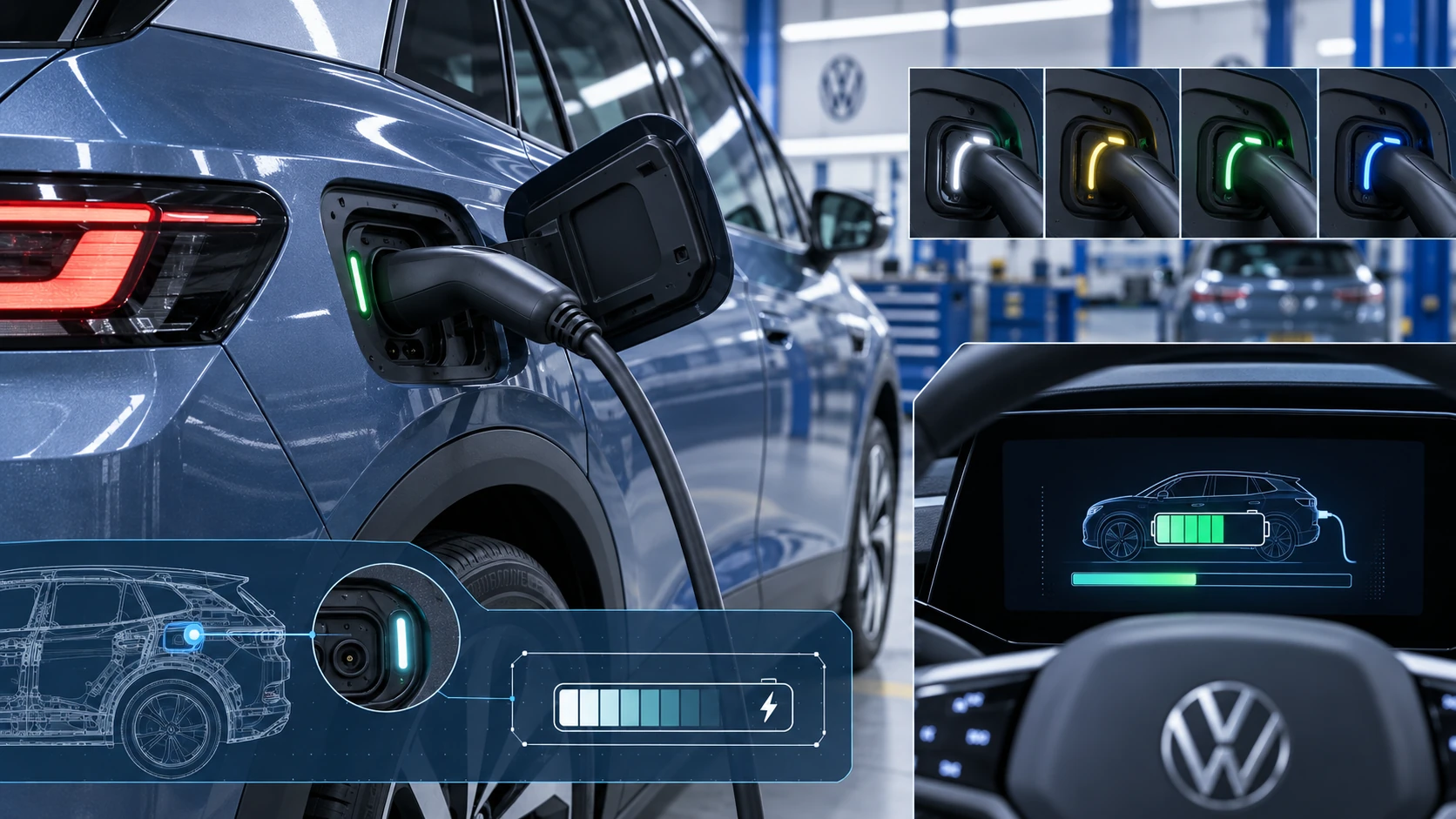 ID.4 Guide
Learn how the Volkswagen ID.4 charging process indicator shows charging status, progress and key visual signals during AC and DC charging.
Read guide