



Welding Plastic Attachments
Professional Volkswagen ID.4 repair guidance for welding plastic attachments, securing damaged mounting points and restoring plastic components correctly.
Read guide




Switching on and off
Depending on the country and vehicle configuration, Lane Assist in the Volkswagen ID.4 is automatically activated when the ignition is switched on. This ensures that the Volkswagen ID.4 immediately begins monitoring lane markings to support the driver. You can also manually switch Lane Assist on or off via the Infotainment system (→ Vehicle settings menu) and check its current status at any time.
1. Open the Assistance systems menu.
2. Switch Lane Assist on or off in the corresponding submenu.
 If a system malfunction occurs, Lane Assist in the Volkswagen ID.4 may deactivate automatically to ensure safety.
Displays
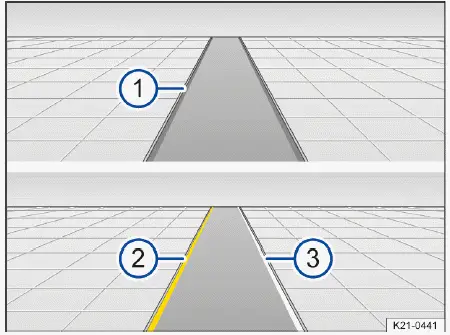
Fig. 1 In the instrument cluster display: displays of Lane
Assist
Depending on the equipment of the Volkswagen ID.4, additional details such as dashed or complex lane markings may also be displayed in the instrument cluster.
In certain configurations, the Volkswagen ID.4 may also show Lane Assist information in the head-up display, allowing the driver to keep focus on the road.
One of the following indicator lights will illuminate depending on the driving situation:
 System active and ready to
control.
System active and ready to
control.
 System in operation (corrective
steering intervention).
System in operation (corrective
steering intervention).
If no indicator light is displayed, Lane Assist in the Volkswagen ID.4 is either inactive, not ready for operation, or switched off.
 If Travel Assist is actively
controlling the vehicle, Lane Assist will not perform separate steering interventions and no dedicated display will be shown.
If Travel Assist is actively
controlling the vehicle, Lane Assist will not perform separate steering interventions and no dedicated display will be shown.
Driver intervention request
If the Volkswagen ID.4 detects that the driver is not actively steering, Lane Assist will prompt the driver to keep the vehicle centered in the lane using visual indicators and audible warnings.
If the driver does not respond, Lane Assist will deactivate to ensure that the driver regains full responsibility for vehicle control.
Depending on equipment, Emergency Assist in the Volkswagen ID.4 may activate in critical situations when no driver input is detected and Emergency Assist is enabled in the Infotainment system.
Even if steering input is present, the Volkswagen ID.4 may still request driver intervention if corrective steering assistance is prolonged, ensuring that the driver remains engaged.
Steering wheel vibration
The steering wheel in the Volkswagen ID.4 may vibrate under certain conditions as an additional warning mechanism:
Additionally, you can enable the steering wheel vibration feature in the Assistance systems menu. When activated, the Volkswagen ID.4 will vibrate the steering wheel if you unintentionally drift toward a detected lane marking.
Troubleshooting
 Lane Assist not available
The yellow warning indicator appears, and a message is shown in the instrument cluster of the Volkswagen ID.4.
Lane Assist will resume operation in the Volkswagen ID.4 once the camera becomes available again. Restarting the drive system may also help restore functionality.
Volkswagen recommends consulting an authorized Volkswagen Service Facility for proper diagnostics.
 It may take a few seconds after switching on the ignition in the Volkswagen ID.4 for a system fault to be detected.
 If Lane Assist is unavailable, Emergency Assist will also not be available in the Volkswagen ID.4.
 If Lane Assist is unavailable, Travel Assist will also be unavailable in the Volkswagen ID.4.
The system is functioning differently than expected
1. Do not attach or mount any objects to the steering wheel, as this may interfere with sensor inputs in the Volkswagen ID.4.
Controls are responding differently than expected
Moisture, dirt, or grease may affect the responsiveness of controls in the Volkswagen ID.4.
1. Always keep all control surfaces clean and dry for optimal performance.
Introduction
With Travel Assist in the Volkswagen ID.4, the vehicle can maintain a preset distance from the vehicle ahead and help keep the car centered within the lane (adaptive lane guidance), providing a more comfortable and semi-automated driving experience within system limits.
Does this vehicle have Travel Assist?
The Volkswagen ID.4 is equipped with Travel Assist if the following control button is present on the multi-function steering wheel:
 This button indicates that the Volkswagen ID.4 supports Travel Assist, combining Adaptive Cruise Control and Lane Assist for enhanced driving convenience.
Speed range
In the Volkswagen ID.4, Travel Assist operates within a speed range starting from approximately 20 km/h (15 mph), and in some configurations even from 0 km/h when extended adaptive lane guidance is available. The exact operating range may vary depending on regional specifications and vehicle equipment.
System Limitations of Travel Assist
Travel Assist in the Volkswagen ID.4 relies on the same advanced sensor systems used by Adaptive Cruise Control (ACC) and the Lane Keeping System (Lane Assist), including radar and camera technologies.
 Always consider the system limitations of ACC and Lane Assist when using Travel Assist in the Volkswagen ID.4. The driver must remain attentive at all times and be ready to take control whenever necessary.
Driving with Travel Assist
Travel Assist in the Volkswagen ID.4 automatically controls both speed and steering within system limits, providing a semi-automated driving experience. The system can even bring the Volkswagen ID.4 to a complete stop behind another vehicle and resume driving when traffic moves again.
At any time, the driver can override Travel Assist in the Volkswagen ID.4 by steering, braking, or accelerating, ensuring full control remains with the driver.
Displays
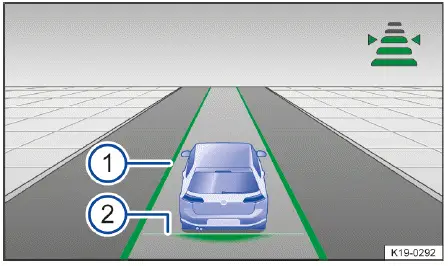
Fig. 1 In the instrument cluster display: Display during
active control (general example).
Depending on the configuration, the Volkswagen ID.4 may also display Travel Assist information in the head-up display for improved driver awareness.
Additional visual information, such as broken lane markings and detected vehicles ahead, may also be shown in the instrument cluster display of the Volkswagen ID.4.
Indicator lights in the Volkswagen ID.4 instrument cluster communicate the current Travel Assist status:
 Travel Assist active, Adaptive
Cruise Control and adaptive lane guidance active.
Travel Assist active, Adaptive
Cruise Control and adaptive lane guidance active.
 Travel Assist inactive, Adaptive
Cruise Control (ACC) active and adaptive lane guidance inactive.
Travel Assist inactive, Adaptive
Cruise Control (ACC) active and adaptive lane guidance inactive.
 Travel Assist deactivated, no
regulation.
Travel Assist deactivated, no
regulation.
Driver intervention request
If you remove your hands from the steering wheel, the Volkswagen ID.4 will prompt you after a short period to take control, using both visual alerts and audible warnings.
If there is no response from the driver, Travel Assist will deactivate to maintain safety.
Depending on the equipment, the Volkswagen ID.4 may activate Emergency Assist if no driver input is detected and the system is enabled, helping to safely manage critical situations.
Travel Assist with mass location data
In certain versions of the Volkswagen ID.4, Travel Assist can utilize online map data (mass location data) to enhance performance. This feature improves system reliability, especially in scenarios where lane markings are unclear or partially missing.
By using this data, the Volkswagen ID.4 can maintain better lane positioning even when physical markings are incomplete, providing a smoother and more consistent driving experience.
Requirements:
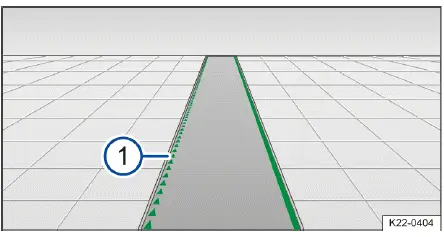
Fig. 2 In the instrument cluster display: Display during use
of mass location data (general example).
WARNING
Travel Assist in the Volkswagen ID.4 is not a substitute for driver attention and functions only within its technical limits. The system may fail to detect certain situations, react too late, or behave unexpectedly. Careless use can result in serious accidents, injuries, or fatalities.

Selected owner and service information from our Volkswagen ID.4 manual library.
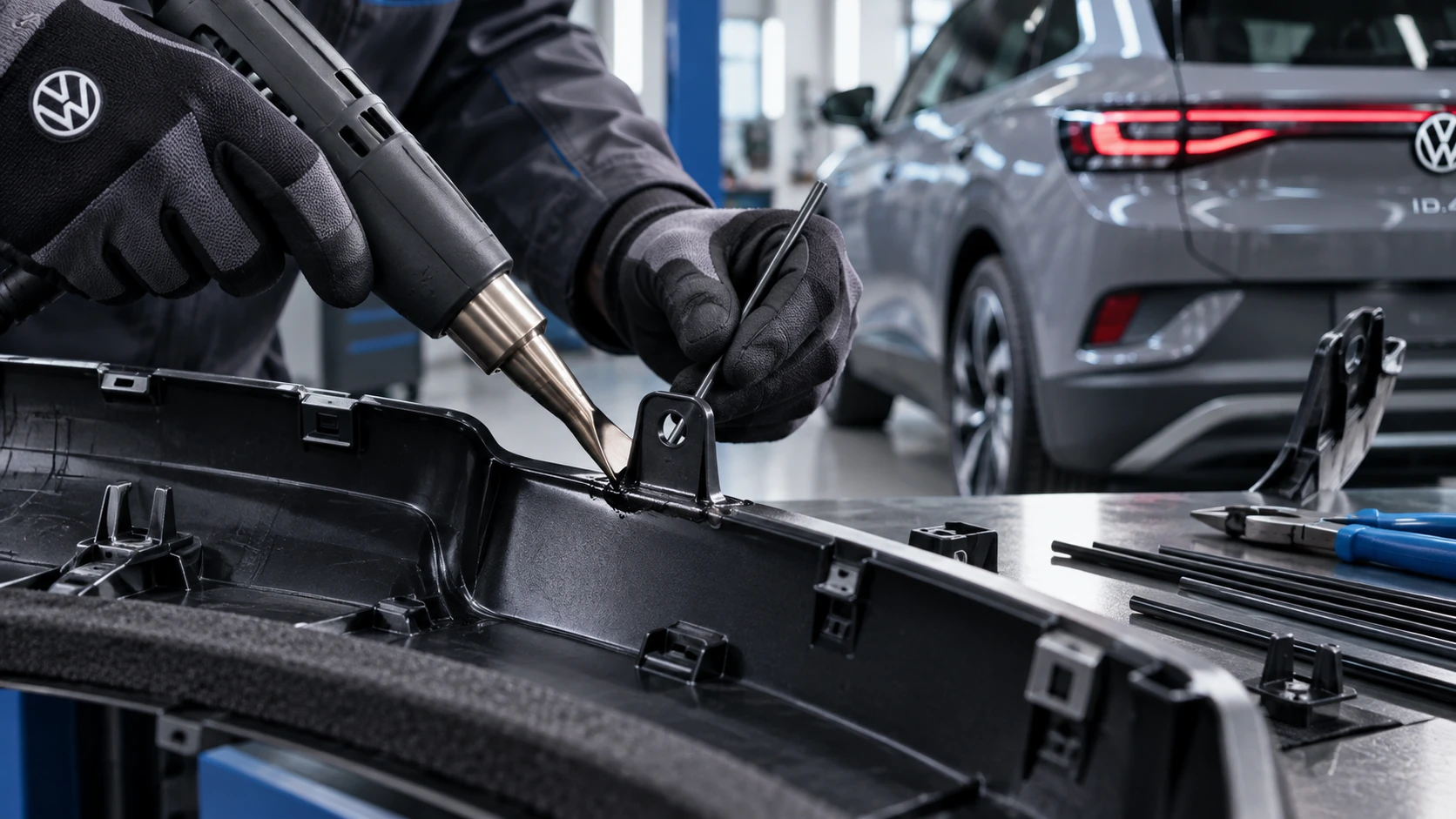 ID.4 Guide
Professional Volkswagen ID.4 repair guidance for welding plastic attachments, securing damaged mounting points and restoring plastic components correctly.
Read guide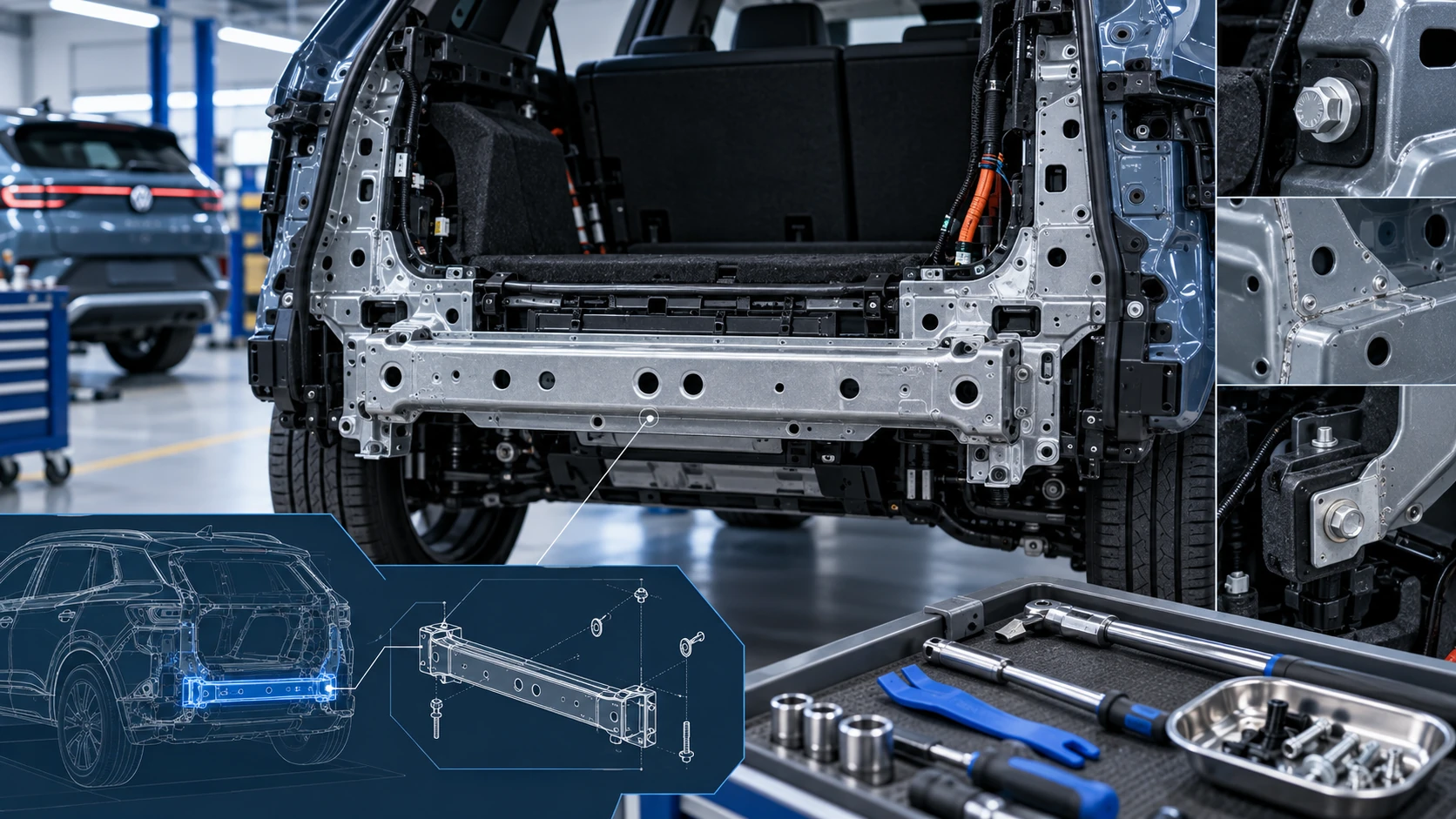 ID.4 Guide
Service information for the Volkswagen ID.4 rear cross member, including component location, attachment points and repair-oriented removal and installation guidance.
Read guide