



Switching the Ignition On and Off
How to switch the Volkswagen ID.4 ignition on and off correctly, including the basic operating conditions and what the driver should expect from the vehicle.
Read guide




Radio
The range of available radio functions in the Volkswagen ID.4 depends on the vehicle configuration and regional availability. Certain reception modes and features may not be supported in all countries.
General symbols for radio operation
1. To open the main radio menu in the Volkswagen ID.4, go to the home screen and tap
 .
.
 FM Select the FM reception mode.
 FM/DAB Select combined FM and DAB reception mode.
 Internet Radio Select the Internet radio mode.
 Select the desired band or reception mode.
 Display saved favorite stations from preset buttons.
Displayed small in a station list: Stations already saved as favorites in the Volkswagen ID.4.
 Open the currently playing station view.
 Open radio settings.
 Select the previous station.
 Select the next station.
 Mute the audio output.
 Display FM frequency scale for manual tuning.
Manual tuning is only available when the combined station list is disabled in the Volkswagen ID.4 settings.
 Switch between radio and media playback modes.
 Access personal playlists.
 Save a station as a favorite.
TP Traffic program function is enabled for real-time traffic updates in the Volkswagen ID.4.
No TP Selected station does not support traffic announcements.
AF Off Automatic frequency tracking is disabled.
RDS Off Radio Data System is disabled.
Symbols in the FM and FM/DAB band
 DAB reception is not available.
 DAB station supports slideshow display.
 Slideshow feature not supported for the selected DAB station.
Symbols for Internet Radio operation
 Open full-text search for Internet radio stations.
 Internet radio reception is currently unavailable.
 Display last played Internet radio station.
 Show the 100 most popular Internet radio stations.
 Access available Internet radio podcasts.
 Display stations from the selected country.
 Filter stations by preferred language.
 Filter stations by genre.
The advanced radio functionality of the Volkswagen ID.4 ensures a flexible and modern listening experience, allowing drivers to seamlessly switch between traditional and digital broadcasting as well as online streaming services.
 Display the available station selection in the Volkswagen ID.4 radio interface.
 Display available podcast episodes in the Volkswagen ID.4 Infotainment system.
 Show related radio stations and podcast content based on current playback.
 Skip forward 15 seconds within a podcast episode.
 Jump backward 15 seconds within a podcast episode.
Selecting the frequency band or reception mode
Before tuning to a station in the Volkswagen ID.4, you must first select the desired frequency band or reception mode. The list of available stations depends on this selection, and available options may vary depending on vehicle equipment and regional support.
1. Tap to open the list of available bands and reception modes.
2. Select the preferred band or mode, for example FM, DAB, or Internet Radio.
Searching for and selecting a station
The Volkswagen ID.4 offers multiple ways to find and select radio stations. Available methods depend on the selected reception mode.
Selecting via the multi-function steering wheel
You can conveniently switch stations directly from the steering wheel controls in the Volkswagen ID.4.
 on the multi-function steering wheel.
 on the multi-function steering wheel.
 Select via the frequency band (FM)
You can manually select radio frequencies and store them as favorites in the Volkswagen ID.4.
Precondition:
✓ The combined station list is disabled in the settings.
1. Tap
 .
.
2. Drag the cursor across the frequency scale and release it at the desired frequency.
Alternatively, tap directly on a point within the frequency band. The cursor will automatically move to that position.
The Volkswagen ID.4 will tune into the station broadcasting at the selected frequency.
Select from station list (FM/DAB)
The station list in the Volkswagen ID.4 displays all currently receivable stations and updates automatically.
1. Open the station list.
2. Tap the desired station.
The system will automatically tune to the selected station and choose the optimal reception mode based on signal availability.
 Searching for and filtering stations (Internet Radio)
When using Internet Radio in the Volkswagen ID.4, stations can be filtered by category or located using a search function.
1. Tap
 to start a search.
2. Enter the name of the desired station.
Search results will update dynamically as you type.
3. Select the desired station from the results list.
SCAN Search in SCAN mode (FM/DAB)
The SCAN function in the Volkswagen ID.4 automatically cycles through available stations, playing each for approximately five seconds.
1. Tap SCAN to start the scan mode.
The system begins scanning and displays the current station.
The SCAN button will remain highlighted during operation.
2. Tap SCAN again to select the currently playing station.
The scan process stops and the chosen station remains active.
Storing stations on the station preset buttons
You can store up to 36 stations across different bands as favorites in the Volkswagen ID.4 for quick access.
1. Tune to the desired station.
2. Tap
 .
.
Alternatively, tap and hold the station in the station list.
The preset button menu will be displayed.
3. Tap
 to assign the station.
Alternatively, press and hold an existing preset button for approximately three seconds to overwrite it.
If a preset slot already contains a station, it will be replaced by the newly saved station.
This flexible radio system in the Volkswagen ID.4 ensures seamless access to your favorite stations, podcasts, and digital content, providing a modern and personalized listening experience.

Selected owner and service information from our Volkswagen ID.4 manual library.
 ID.4 Guide
How to switch the Volkswagen ID.4 ignition on and off correctly, including the basic operating conditions and what the driver should expect from the vehicle.
Read guide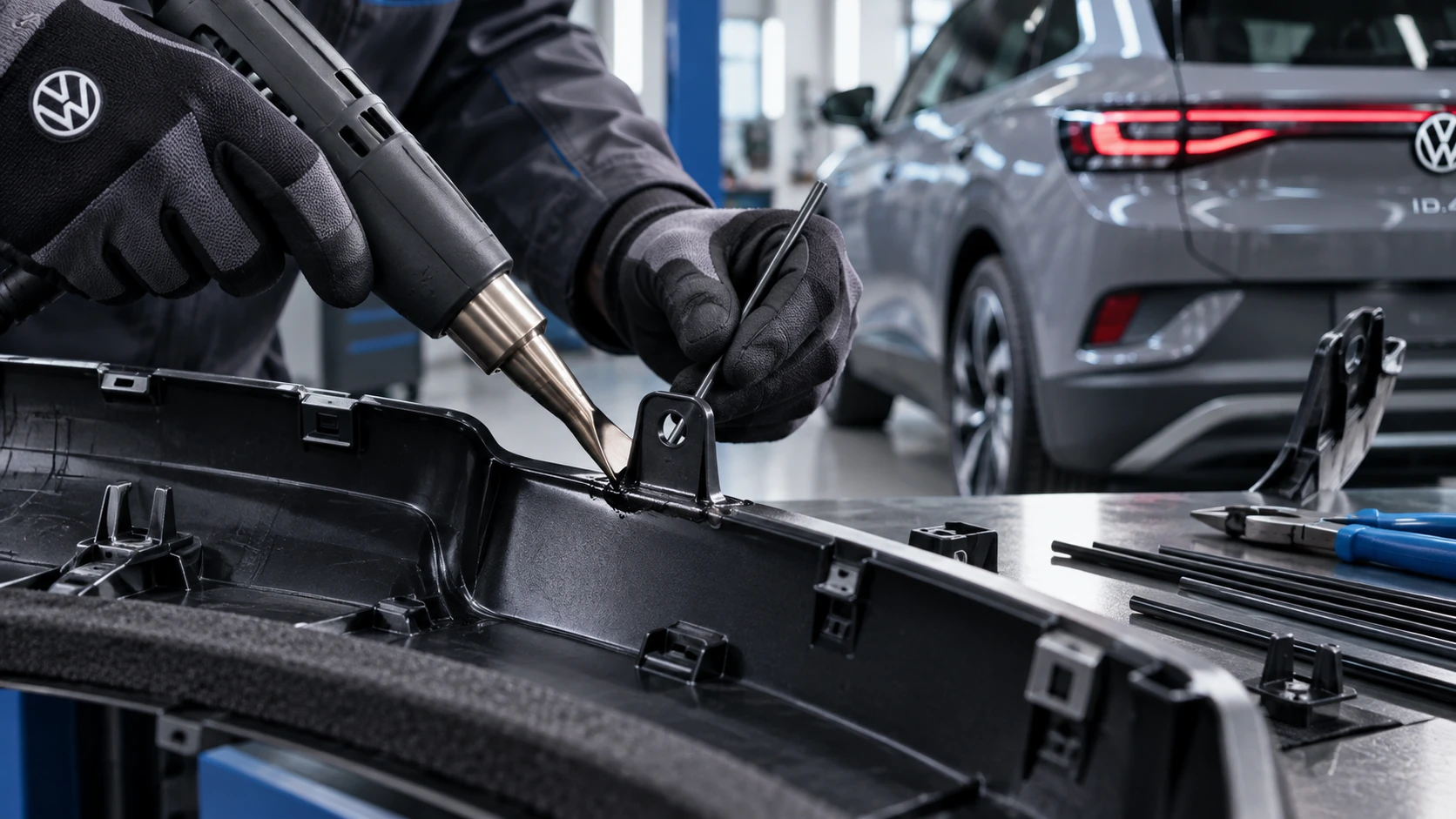 ID.4 Guide
Professional Volkswagen ID.4 repair guidance for welding plastic attachments, securing damaged mounting points and restoring plastic components correctly.
Read guide