



Charging Process Indicator
Learn how the Volkswagen ID.4 charging process indicator shows charging status, progress and key visual signals during AC and DC charging.
Read guide




The Advanced High Beam Control (Dynamic Light Assist) in the Volkswagen ID.4 is an intelligent lighting system designed to maximize road illumination while minimizing glare for other road users. It enhances nighttime driving safety by continuously adapting the high beam pattern to traffic conditions.
In the Volkswagen ID.4, this system uses a forward-facing camera to detect vehicles ahead and oncoming traffic. Based on this data, it selectively dims specific sections of the light beam instead of switching off the entire high beam, ensuring optimal visibility without dazzling others. If selective dimming is not sufficient, the system will automatically deactivate the high beam completely.
Dynamic Light Assist in the Volkswagen ID.4 also recognizes well-lit urban environments, such as towns, and automatically deactivates the high beam headlights when driving through these areas.
The system automatically controls high beam activation and deactivation within its operational limits, depending on environmental conditions, traffic, and vehicle speed →
 .
.
Dynamic Light Assist can be enabled or disabled through the vehicle settings in the Infotainment system of the Volkswagen ID.4 (→ Vehicle settings menu).
 Switching on Dynamic Light Assist
1. Switch on the ignition in your Volkswagen ID.4.
2. Activate the automatic headlights
 .
.
3. Push the turn signal and high beam lever forward from its neutral position.
When Dynamic Light Assist is activated in the Volkswagen ID.4, the indicator
 appears in the Volkswagen Digital Cockpit. If the system is actively controlling the high beams, the blue
 indicator light will illuminate.
Switching off Dynamic Light Assist
1. Deactivate the automatic headlight mode
 .
.
Or: If Dynamic Light Assist is active, pull the turn signal and high beam lever backward to disable it.
Or: If the system is on but not currently active, push the lever forward to enable manual high beams. Pull it back again to turn them off manually.
Or: Switch off the ignition to deactivate the system completely in the Volkswagen ID.4.
System limitations
Despite its advanced capabilities, Dynamic Light Assist in the Volkswagen ID.4 has certain limitations. In the following situations, the driver must manually control the high beam headlights:
WARNING
Dynamic Light Assist in the Volkswagen ID.4 may not detect all traffic conditions correctly and should not be relied upon as a substitute for driver attention.
This system is only an assistance feature. The driver is always responsible for selecting appropriate lighting. Incorrect use of high beams may blind other road users and result in serious or fatal accidents.
WARNING
If the camera lens used by Dynamic Light Assist in the Volkswagen ID.4 is dirty, covered, or damaged, system performance may be reduced.
Dynamic cornering light
The dynamic cornering light function in the Volkswagen ID.4 enhances visibility by illuminating the road more effectively when steering or driving through curves.
This feature operates only when automatic headlights
 are active and the vehicle speed exceeds approximately 10 km/h (6 mph).
 Certain lighting preferences and system settings in the Volkswagen ID.4 can be stored within driver profiles and will automatically adjust when switching between users.
For maximum safety and driving comfort, always ensure that the lighting systems in your Volkswagen ID.4 are functioning correctly and adapt them to current road and weather conditions.

Selected owner and service information from our Volkswagen ID.4 manual library.
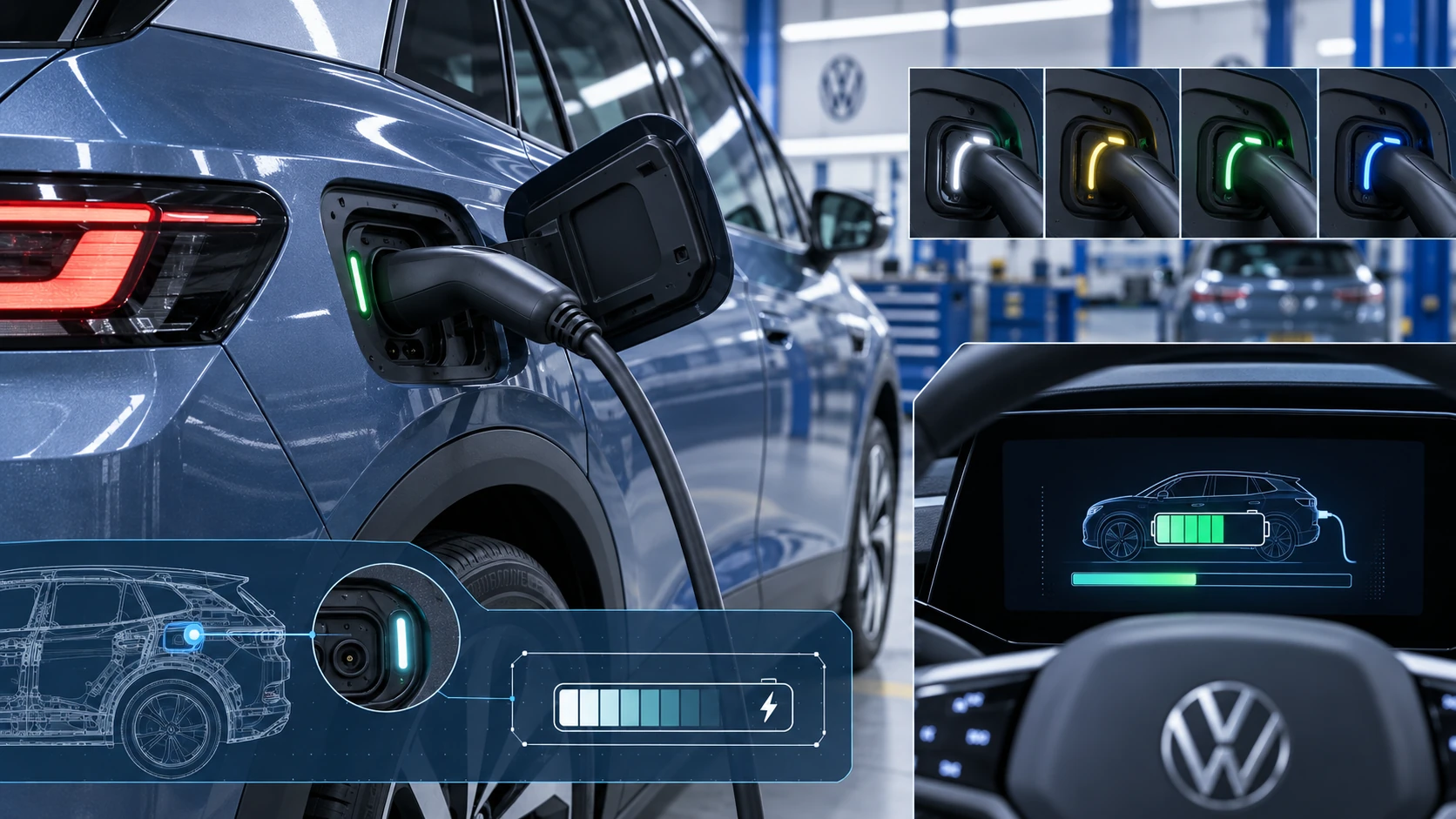 ID.4 Guide
Learn how the Volkswagen ID.4 charging process indicator shows charging status, progress and key visual signals during AC and DC charging.
Read guide ID.4 Guide
How to switch the Volkswagen ID.4 ignition on and off correctly, including the basic operating conditions and what the driver should expect from the vehicle.
Read guide