



Charging Process Indicator
Learn how the Volkswagen ID.4 charging process indicator shows charging status, progress and key visual signals during AC and DC charging.
Read guide




Requirements
✓ The smartphone must support Android Auto.
✓ The Android Auto application must be installed on the smartphone.
✓ If wireless connection is unavailable, connect via USB with data transfer capability.
✓ Use an original manufacturer-approved USB cable.
For Android Auto Wireless in the Volkswagen ID.4, Bluetooth and Wi-Fi must be enabled.
 These technologies may not be
available in all countries.
These technologies may not be
available in all countries.
 Further information about compatibility and supported devices can be obtained from Volkswagen or Android Auto resources.
Connecting
When connecting a smartphone for the first time to the Volkswagen ID.4, follow the instructions shown on both the Infotainment system and the smartphone.
All requirements must be met to ensure proper Android Auto functionality.
1. Tap HOME
 to open the App-Connect main menu.
2. Tap
 Android Auto to connect the smartphone.
Disconnecting
1. Tap
 in Android Auto mode to open the App-Connect main menu.
2. Tap
 to
end the connection.
to
end the connection.
Special conditions
During Android Auto operation in the Volkswagen ID.4, the following conditions apply:
Voice control
1. Tap
 briefly to activate the voice control.
Or: Press and hold
 to activate Google Assistant on the smartphone.
Using App-Connect technologies such as Apple CarPlay and Android Auto in the Volkswagen ID.4 enhances connectivity, usability, and overall driving comfort when used responsibly.

Selected owner and service information from our Volkswagen ID.4 manual library.
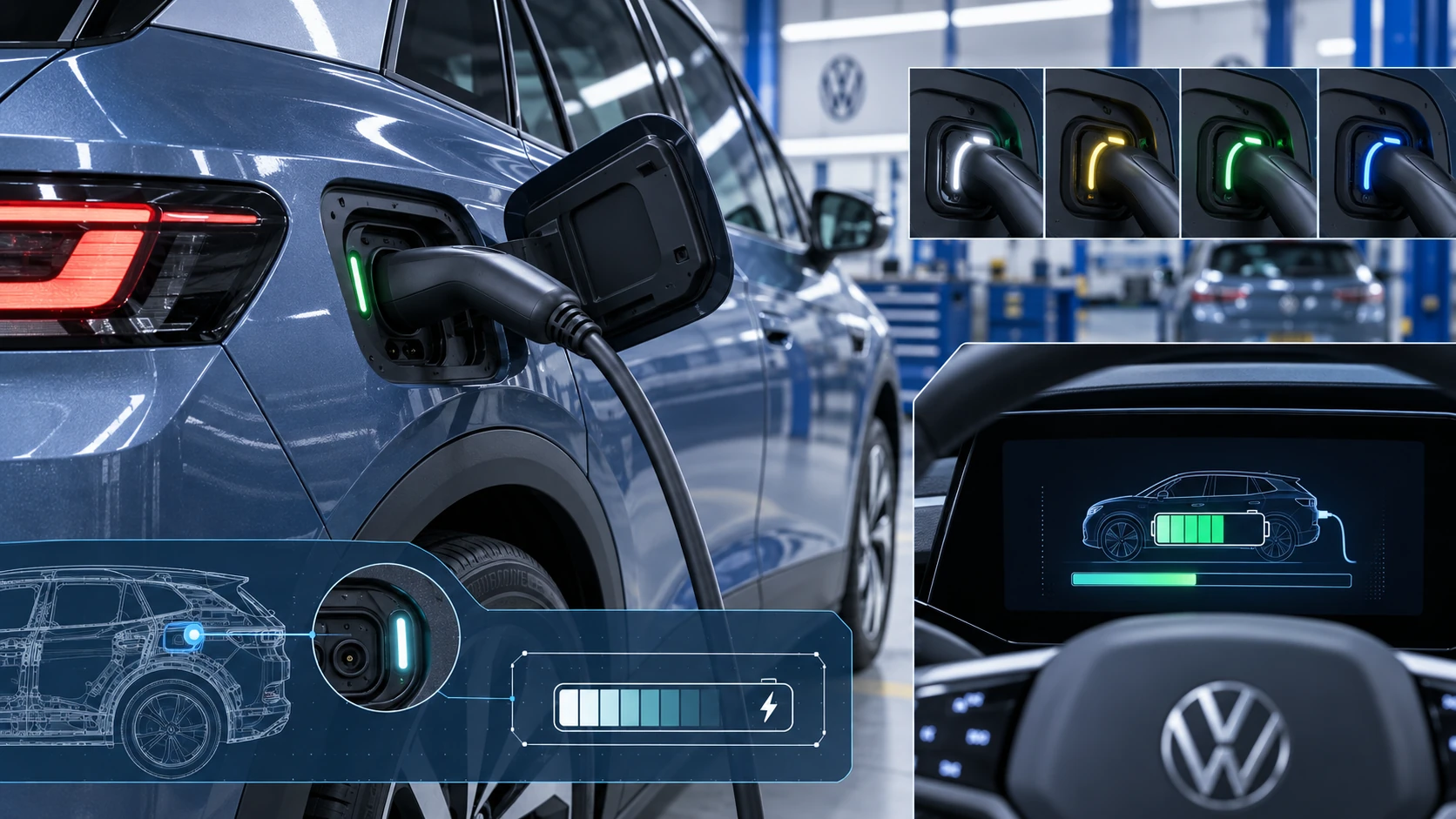 ID.4 Guide
Learn how the Volkswagen ID.4 charging process indicator shows charging status, progress and key visual signals during AC and DC charging.
Read guide ID.4 Guide
How to switch the Volkswagen ID.4 ignition on and off correctly, including the basic operating conditions and what the driver should expect from the vehicle.
Read guide