



Plastic Repair
Volkswagen ID.4 plastic repair procedures covering surface preparation, filler work, sanding and restoration of damaged plastic exterior components.
Read guide




✓ The charging connector on the Volkswagen ID.4 is correctly inserted and not tilted.
✓ The Volkswagen ID.4 is unlocked.
✓ The charging process has been stopped or paused.
✓ For AC charging, the “Automatically release the AC charging cable” setting is enabled in the Volkswagen ID.4 Infotainment system.
If all of these conditions are met and the charging connector still cannot be removed, an emergency release procedure can be performed →
 .
.
DANGER
If the charging connector remains locked due to a malfunction in the Volkswagen ID.4 or the charging station, live electrical contacts may be exposed during manual release. This can result in severe burns, injuries, or fatal electric shock.
 Only perform the emergency release on the Volkswagen ID.4 charging connector if a malfunction is present.
Electrical emergency release of the charging connector
Before attempting a manual release, try unlocking the charging connector electronically using the Volkswagen ID.4 central locking system.
1. End the charging process via the function key
 in the Infotainment system or directly at the charging station.
2. Press the
 button on the vehicle key three times in succession.
The turn signals of the Volkswagen ID.4 will flash three times to confirm the release attempt.
3. Remove the charging connector.
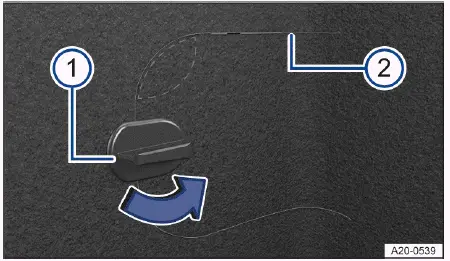
Fig. 1 Bottom right luggage compartment trim: Flap for
emergency release.
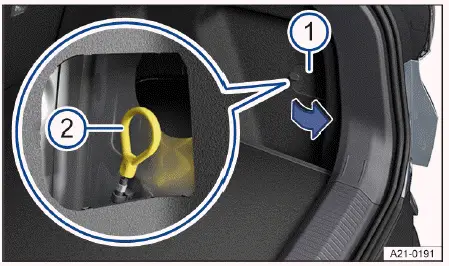
Fig. 2 Behind the flap in the right-hand luggage
compartment trim: emergency release for the charging
connector.
On the lower right side of the luggage compartment in the Volkswagen ID.4, there is a secured access flap → fig. 2.
1. Open the luggage compartment.
2. Turn the flap lock by 90º → fig. 1 -1- (blue arrow).
3. Press above the fastener → fig. 1 (marked area).
4. Reach inside and carefully pull the flap open. Use a suitable tool if necessary at the separation points → fig. 1 -2-.
5. Open the flap fully.
6. Pull the emergency release loop → fig. 2 -2-.
The charging connector of the Volkswagen ID.4 can now be removed →
 .
.
7. Close and secure the flap in the luggage compartment.
8. Have the charging system inspected by qualified professionals. Volkswagen recommends visiting an authorized Volkswagen dealer or service facility.
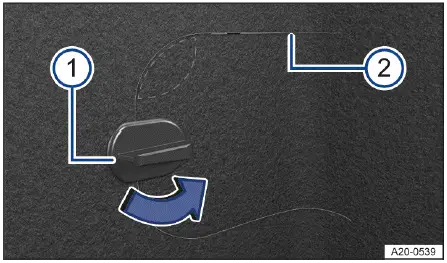
Fig. 3 Bottom right luggage compartment trim: Flap for
emergency release.
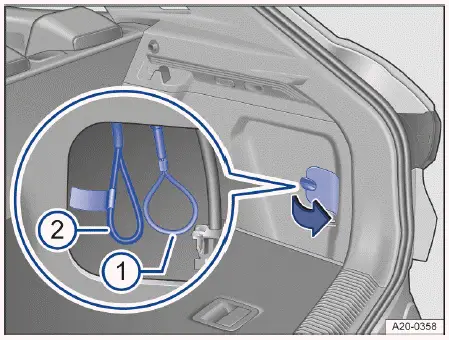
Fig. 4 Behind the flap in the right-hand luggage
compartment trim: emergency release for the charging
connector.
The emergency release mechanism for this Volkswagen ID.4 variant is also located behind a flap in the luggage compartment → fig. 4.
1. Open the luggage compartment.
2. Turn the flap lock by 90º → fig. 3 -1-.
3. Press above the fastener → fig. 3.
4. Open the flap using the separation points → fig. 3 -2-.
5. Pull the emergency release loop → fig. 4 -1-. The loop has no flag →
 .
.
The charging connector can now be removed →
 .
.
6. Close and secure the flap.
7. Have the system checked by a qualified Volkswagen service specialist.
Depending on the equipment of the Volkswagen ID.4, a high-voltage emergency isolator loop may be located next to the manual release loop → fig. 4 -2-. This component is marked with a yellow flag →
 .
.
NOTICE
The high-voltage emergency isolator is intended exclusively for trained emergency personnel.
Damage to this component will deactivate the high-voltage system.
Introduction
The Volkswagen ID.4 allows drivers to configure charging behavior through the Infotainment system, including advanced AC charging settings for saved charging locations.
Opening the charging settings
1. Switch on the Infotainment system.
2.
 Tap Charging in the main menu.
Or: When the charging connector is inserted into the unlocked Volkswagen ID.4, the charging screen appears automatically.
3. Open the
 Charging menu.
Or: Open the
 Charging locations menu and configure a new location.
1. To enable scheduled charging, activate a departure time
 (→ Delayed charging).
 Immediate charging: If no departure time is set, the Volkswagen ID.4 will begin charging immediately up to the configured battery limit.
Changing the charging procedure
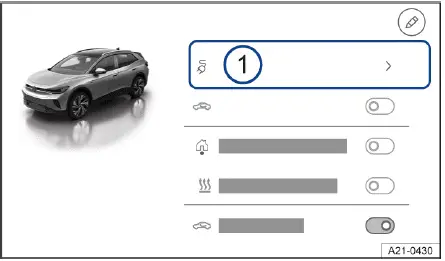
Fig. 1 Infotainment system: exit menu with function key
for charging (general example).
You can adjust the charging strategy of the Volkswagen ID.4 either from the exit menu or directly within the
 Charging menu. The available options depend on the configured charging location and technical infrastructure.
1. Tap the function key displaying the current charging mode → fig. 1 -1-.
A list of available charging options will appear.
2. Select the desired charging mode, such as immediate charging, scheduled charging before departure, or combined charging with climate preconditioning.
The Volkswagen ID.4 provides flexible and intelligent charging management, allowing drivers to optimize efficiency, convenience, and battery longevity.

Selected owner and service information from our Volkswagen ID.4 manual library.
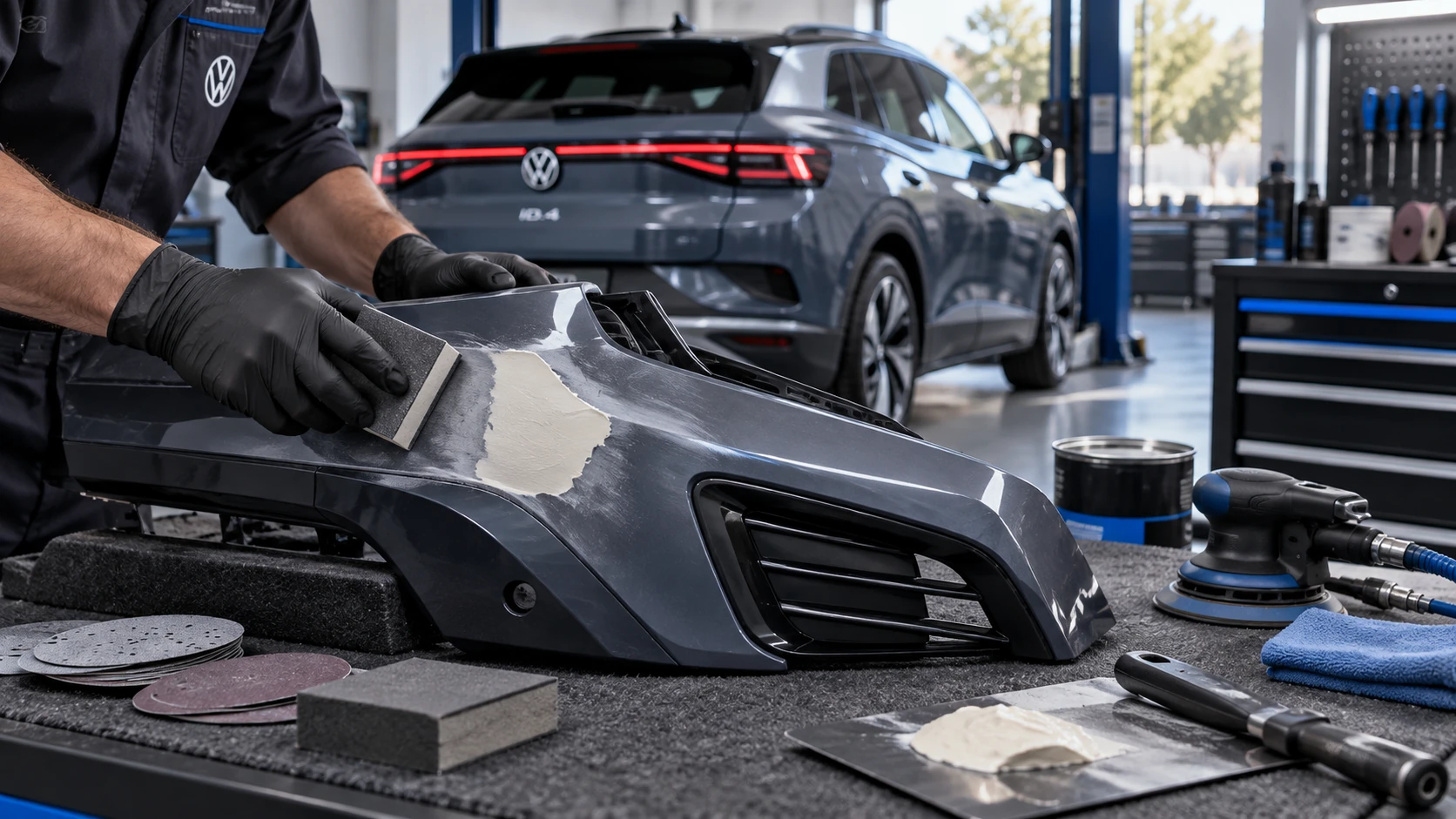 ID.4 Guide
Volkswagen ID.4 plastic repair procedures covering surface preparation, filler work, sanding and restoration of damaged plastic exterior components.
Read guide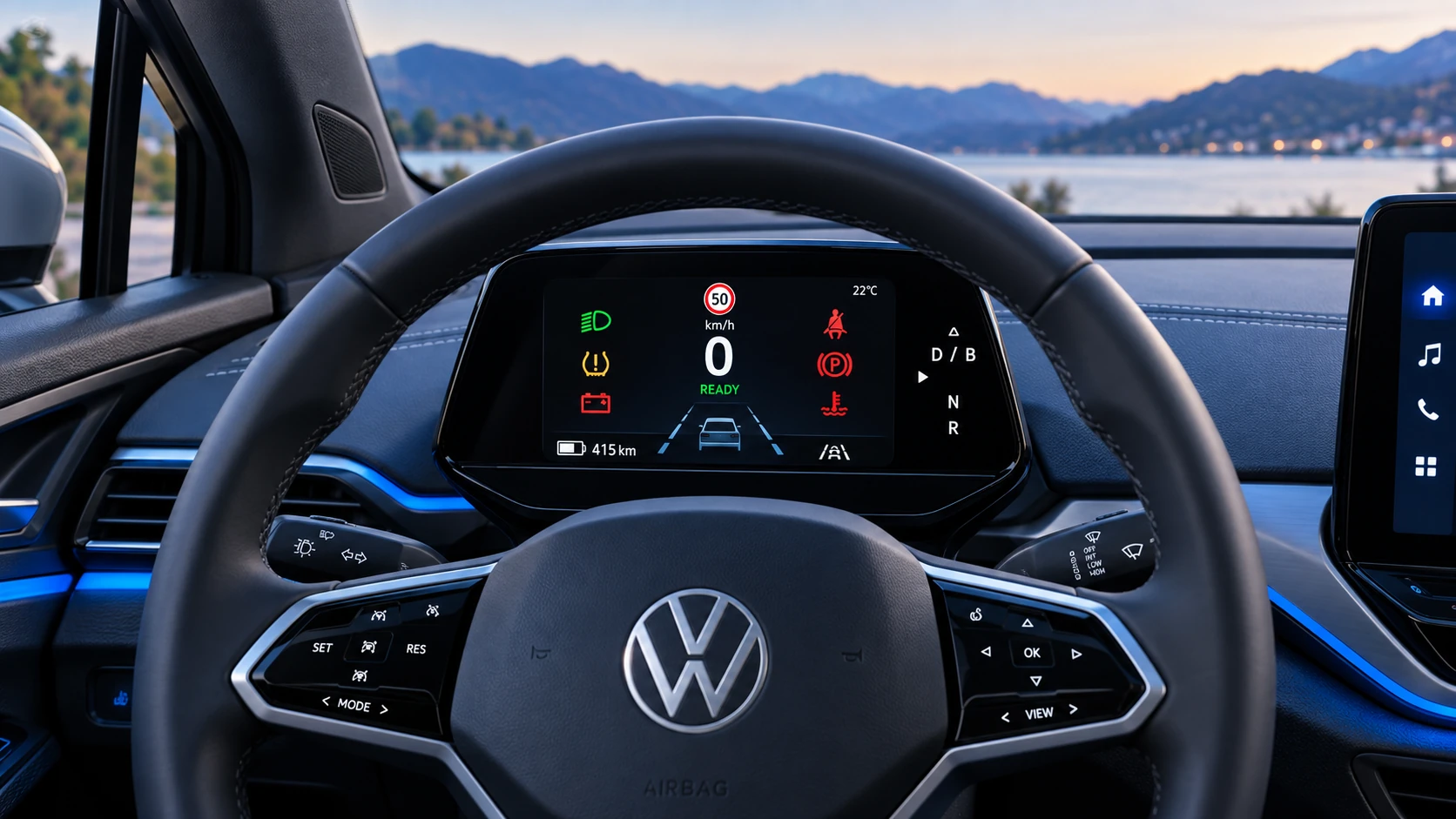 ID.4 Guide
A practical overview of Volkswagen ID.4 instrument cluster symbols, warning lights and status indicators to help drivers understand the display quickly.
Read guide