



Rear Cross Member
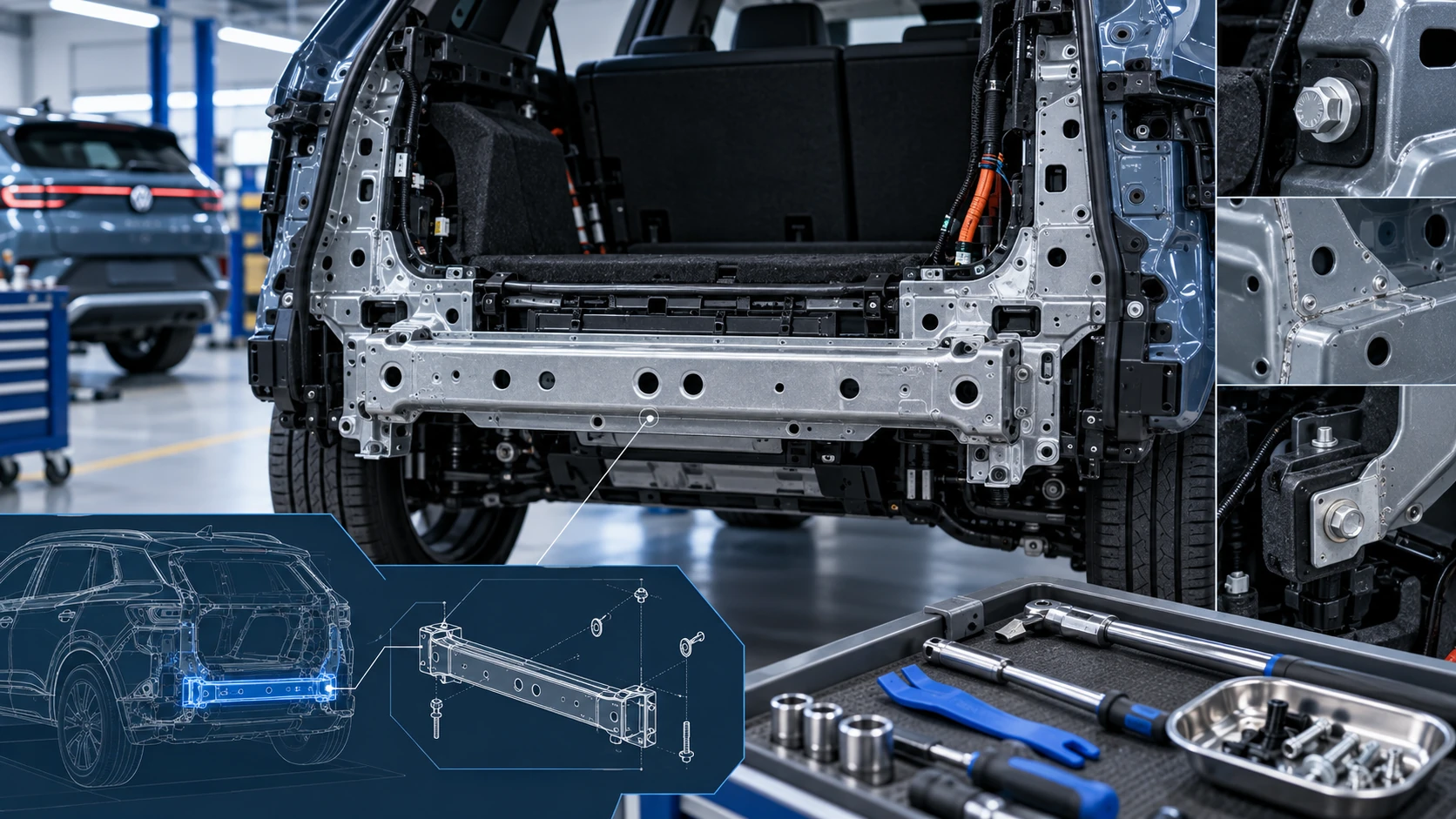
Service information for the Volkswagen ID.4 rear cross member, including component location, attachment points and repair-oriented removal and installation guidance.
Read guide




Navigation
The navigation functions and symbols in the Volkswagen ID.4 may vary depending on vehicle configuration and regional availability. Certain features may not be supported in all countries, but the Volkswagen ID.4 is equipped with a highly advanced and intuitive navigation system designed to enhance driving comfort and efficiency.
Functions
General navigation symbols
1. To access the navigation system, open the home screen and tap
 .
.
 Enter and search for destinations in the Volkswagen ID.4.
 Display the navigation map.
 Access saved addresses from the connected smartphone.
 Open navigation settings.
Symbols on the map
The symbols and function keys shown on the navigation map in the Volkswagen ID.4 depend on current settings and real-time driving conditions.
Traffic information, such as congestion or hazards, and points of interest like charging stations or fuel stops, are displayed when relevant data is available.
 Display the current vehicle position.
 Align the map orientation.
 Adjust the map scale.
 Display detailed route information.
 Enable fully automatic map mode (orientation, zoom, tilt, and positioning).
 Open route options dialog.
 Access additional navigation options.
 Active filter for charging stations.
Symbols in the dialog box
1. To open the advanced options dialog, tap
 .
.
 Display route overview and alternative routes.
 Repeat the last navigation instruction.
 Mute or adjust navigation voice guidance.
 Open Range 360 display for electric range planning.
Additional symbols
 Detailed destination input for precise address entry.
 Save destination to favorites.
 Work address shortcut.
 Home address shortcut.
Symbols in the route plan
 Display current position.
 Active route destination.
 Add destination as stopover or start direct navigation.
 Save destination as favorite.
 Close route plan.
 Estimated distance to destination.
 Estimated arrival time.
 Estimated travel duration.
Symbols for charging stations
Charging stations are clearly displayed on the navigation map of the Volkswagen ID.4 when relevant data is available, supporting efficient route planning for electric mobility.
To begin navigation to a charging station, simply tap the desired location.
 Electric vehicle charging station.
 Total number of planned charging stops.
 Estimated charging time at the station.
 Filter and preference settings for charging stations.
 Real-time availability status of charging stations.
Red status: charging station is occupied or unavailable.
Green status: charging station is free and ready for use.
 High-voltage battery status.
Traffic disruptions
Traffic disruptions are displayed on the navigation map in the Volkswagen ID.4 when real-time data is available.
Tap any traffic event to open detailed information in a dialog window.
 Traffic jam.
 Accident.
 Ice warning.
 Road closure.
 Slip hazard.
 General danger.
 Construction zone.
 Strong wind warning.
The Volkswagen ID.4 navigation system integrates advanced visualization, real-time data, and intelligent electric route planning to provide a reliable, safe, and highly efficient driving experience.

Selected owner and service information from our Volkswagen ID.4 manual library.
 ID.4 Guide
Service information for the Volkswagen ID.4 rear cross member, including component location, attachment points and repair-oriented removal and installation guidance.
Read guide ID.4 Guide
How to switch the Volkswagen ID.4 ignition on and off correctly, including the basic operating conditions and what the driver should expect from the vehicle.
Read guide