



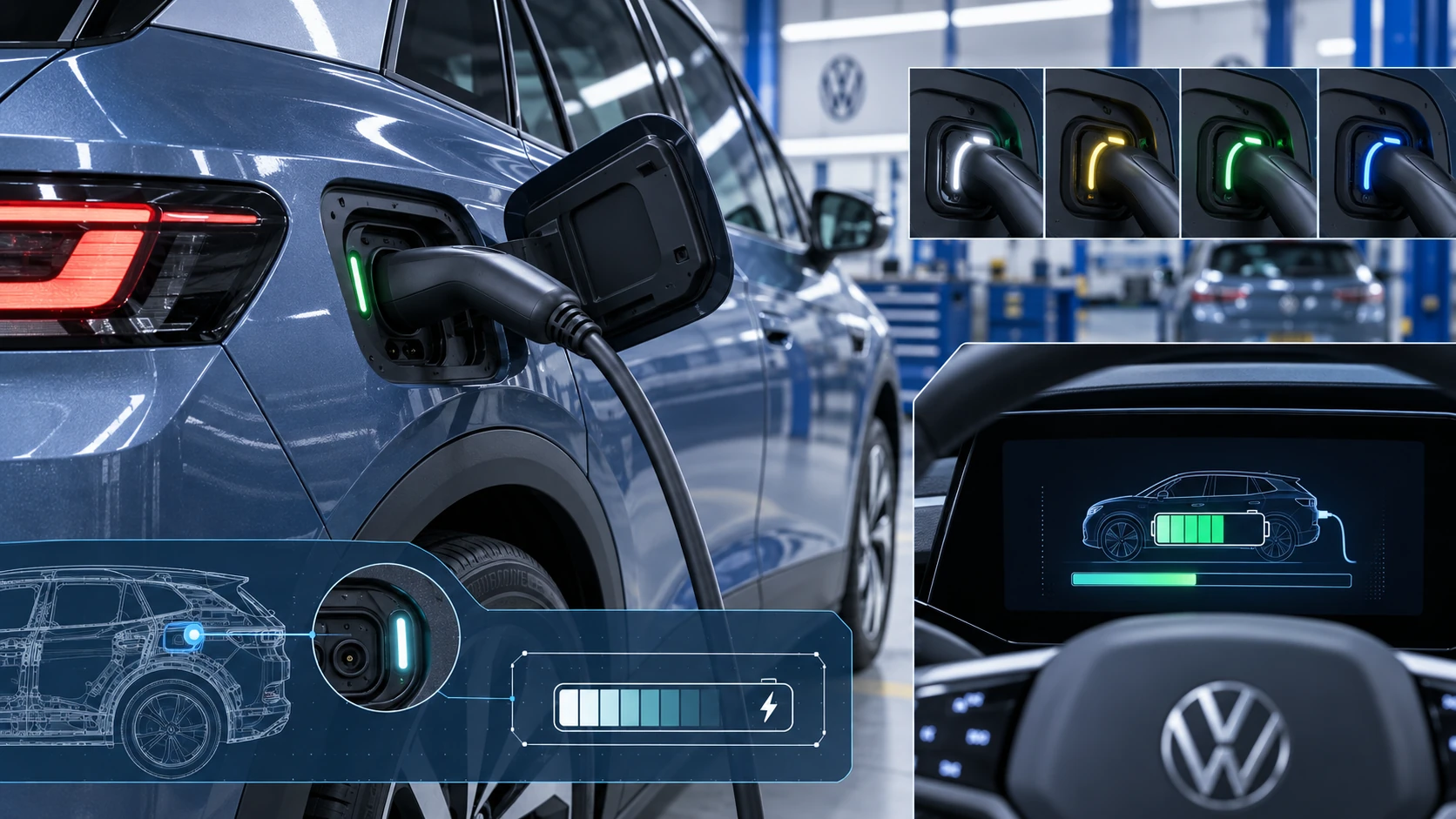
Charging Process Indicator
Learn how the Volkswagen ID.4 charging process indicator shows charging status, progress and key visual signals during AC and DC charging.
Read guide




The Infotainment system in the Volkswagen ID.4 is equipped with an integrated storage medium for navigation data. Depending on the country and vehicle configuration, the required map data may already be preinstalled.
To ensure accurate route guidance and full functionality, the Volkswagen ID.4 navigation system requires regularly updated navigation data. Up-to-date maps allow the system to calculate optimal routes and provide reliable guidance under changing road conditions.
NOTICE
Using outdated navigation data in the Volkswagen ID.4 may negatively affect system performance. Routes may be calculated incorrectly, or guidance may lead to an unintended destination.
Navigation Data Online - Additional Information
Unused regions stored in the navigation memory of the Volkswagen ID.4 can be removed if storage space becomes limited. When these regions are needed again, the system can automatically download them upon request.
This feature does not require an active We Connect or We Connect Plus subscription, but availability depends on vehicle equipment and regional support.
1. Switch the ignition on.
2. Establish an Internet connection if it is not already active.
3. Depending on your country, enable "Online mode with location data" in the privacy settings (→ Privacy settings).
 Users operating the Volkswagen ID.4 in guest mode must reset privacy settings after each vehicle start (→ Privacy settings).
Updating navigation data online
With an active We Connect Plus subscription, the Volkswagen ID.4 can automatically update frequently used regions in the background, ensuring the navigation system remains current without user intervention.
This service is dependent on equipment level and may not be available in all countries.
1. Switch the ignition on.
2. Ensure an active Internet connection.
3. Register for We Connect Plus.
4. Enable "Online mode with location data" in the privacy settings if required (→ Privacy settings).
 Navigation updates will not occur if the system is in offline mode (→ Privacy settings).
Updating navigation data manually
Navigation data for larger regions, such as Western Europe, can also be downloaded manually from the official Volkswagen website and transferred to a compatible USB data carrier.
If the Infotainment system in the Volkswagen ID.4 is switched off during installation, the update process will pause and automatically resume once the system is turned back on.
1. Download the navigation data and save it to a USB storage device.
2. Switch on the vehicle ignition.
3. Connect the USB data carrier to the Infotainment system while the vehicle is stationary.
Frequently used regions in the Volkswagen ID.4 may continue to update automatically in the background.
 No notification will appear in the Infotainment system during or after the update process.
 When performing a manual update, the USB data carrier must remain connected. The system does not display a completion message.
 Do not disconnect the USB storage device for several days until all relevant navigation data has been fully installed. The installation continues automatically in the background during driving. Disconnecting the device will interrupt the update process.
If the USB data carrier is removed and the Volkswagen ID.4 is driven in a new region without an Internet connection, navigation data for that region cannot be updated.
Displaying the map data version
1. Tap HOME
 System information to view the currently installed navigation data version.
The Volkswagen ID.4 navigation system ensures reliable guidance through continuous updates, intelligent data management, and seamless integration with online services.

Selected owner and service information from our Volkswagen ID.4 manual library.
 ID.4 Guide
Learn how the Volkswagen ID.4 charging process indicator shows charging status, progress and key visual signals during AC and DC charging.
Read guide ID.4 Guide
How to switch the Volkswagen ID.4 ignition on and off correctly, including the basic operating conditions and what the driver should expect from the vehicle.
Read guide