



Symbols in the Instrument Cluster
A practical overview of Volkswagen ID.4 instrument cluster symbols, warning lights and status indicators to help drivers understand the display quickly.
Read guide




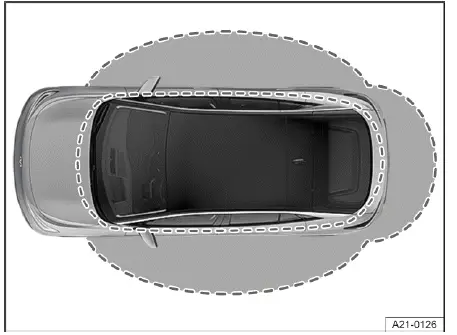
Fig. 1 Keyless Access: general example of the sensor
ranges.
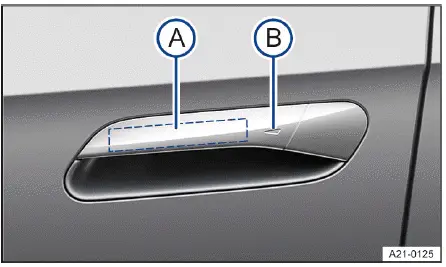
Fig. 2 In door handle: sensors.
Configuring Keyless Access
The Keyless Access behavior in the Volkswagen ID.4 can be customized via the Vehicle menu in the Infotainment system, allowing drivers to tailor convenience and security settings according to their preferences.
If Keyless Access is deactivated in the Volkswagen ID.4, certain automatic unlocking and locking features may no longer function or may be limited.
Unlocking the vehicle
1. Lightly touch the sensor surface on the inside of the door handle → fig. 2 A.
All turn signals on the Volkswagen ID.4 will flash twice to confirm unlocking.
Touching the sensor twice unlocks all doors of the Volkswagen ID.4.
Unlocking the vehicle upon approach
The Volkswagen ID.4 can automatically unlock as you approach, provided the function is activated in the Infotainment system and the vehicle key is within detection range.
If the Volkswagen ID.4 remains locked for an extended period, the automatic approach unlocking feature is temporarily disabled and will reactivate the next time the vehicle is locked.
If single door unlocking is enabled, it may limit the full unlocking behavior of the Volkswagen ID.4 when approaching.
Locking the vehicle
1. Park the Volkswagen ID.4 safely.
2. Touch the sensor on the outside of the door handle → fig. 2 B.
All turn signals will flash once to confirm that the Volkswagen ID.4 is locked.
The unlocking function is briefly disabled so you can verify that the vehicle has locked properly.
Unlocking the trunk lid
If the Volkswagen ID.4 is locked and the key is within range, the trunk lid unlocks automatically when opened. Once closed, it locks again.
Important: If central locking and automatic unlocking upon approach are active, the Volkswagen ID.4 may remain unlocked after closing the trunk lid and must be locked manually.
Deactivating Keyless Access temporarily
The Keyless Access system with push-button start in the Volkswagen ID.4 can be temporarily disabled for added security.
1. Lock the Volkswagen ID.4 using the key button.
2. Within five seconds, touch the outer door handle sensor once → fig. 2 B.
All turn signals will flash once.
Keyless Access is now temporarily disabled on the Volkswagen ID.4.
3. Wait at least 10 seconds, then pull the door handle to confirm deactivation.
The door should remain locked.
The next time the Volkswagen ID.4 is unlocked, Keyless Access will automatically be reactivated.
Deactivating Keyless Access permanently
Keyless Access can also be permanently disabled via the Infotainment system settings in the Volkswagen ID.4.
 Disabling Keyless Access may also deactivate sensor-controlled trunk functions depending on vehicle configuration.
Troubleshooting
If Keyless Access is not working
Sensor functionality in the Volkswagen ID.4 may be affected by dirt, moisture, or environmental conditions.
1. Clean the sensor areas carefully.
If all turn signals flash four times
This indicates that the key used to lock the Volkswagen ID.4 is still inside the vehicle.
1. Remove the key and lock the vehicle again.
Automatic sensor deactivation
The Keyless Access sensors in the Volkswagen ID.4 may temporarily deactivate under the following conditions:
Reactivating the sensors:
1. Unlock the Volkswagen ID.4 using the
 button on the vehicle key.
 Valid vehicle key cannot be detected
The yellow warning light appears along with a message in the instrument cluster of the Volkswagen ID.4.
This indicates that the vehicle key is no longer within range or is not detected by the system.
1. Keep the vehicle in drive-ready mode if possible.
2. Bring the key back into the Volkswagen ID.4 or within sensor range.
If the issue persists, contact an authorized Volkswagen dealer or service facility.
Volkswagen recommends contacting an authorized Volkswagen dealer or authorized Volkswagen Service Facility.
NOTICE
High-pressure water or steam may unintentionally activate Keyless Access sensors in the Volkswagen ID.4 if the key is nearby, potentially opening windows and allowing moisture inside.
 If a sensor is continuously activated while a window is open, all windows in the Volkswagen ID.4 may close automatically.
 If a Keyless system fault message appears in the cockpit, there may be a malfunction requiring inspection.
Volkswagen recommends contacting an authorized Volkswagen dealer or authorized Volkswagen Service Facility.
 Keyless Access in the Volkswagen ID.4 may be disrupted by nearby electronic signals or if the key is shielded, for example by a metal object.
Introduction
The doors of the Volkswagen ID.4 can also be locked and unlocked manually if necessary, such as in the event of a system malfunction.
The central locking system in the Volkswagen ID.4 enables simultaneous locking and unlocking of all doors, the trunk lid, and the charging port flap.
The Volkswagen ID.4 can be locked when the ignition is off or when the driver exits the vehicle after switching off the drive system.
An indicator in the ID. cockpit shows if any door is not properly closed.
 Do not continue driving!
1. Safely stop the Volkswagen ID.4.
2. Open and securely close the affected door.
The warning disappears after the doors are properly closed and the vehicle is locked.
WARNING
If a door is not properly closed, it may open while driving the Volkswagen ID.4, leading to serious or fatal injuries.
WARNING
Doors held open may close unexpectedly due to wind or incline, posing a risk of injury.
WARNING
Careless operation of doors or the trunk lid in the Volkswagen ID.4 can result in serious injuries.
WARNING
Locked doors may delay rescue efforts in emergencies and prevent occupants from exiting the Volkswagen ID.4.
WARNING
Locking the Volkswagen ID.4 from the inside may trap occupants, especially children, who may be unable to exit in an emergency.
NOTICE
Improper handling of covers or components during emergency locking/unlocking may cause damage to the Volkswagen ID.4.
 Locking the Volkswagen ID.4 from the inside helps reduce the risk of accidental door opening and unauthorized entry.
 In an emergency, occupants can unlock the doors by pulling the interior door handle twice past the resistance point.
For optimal convenience and safety, always ensure that the Keyless Access system of your Volkswagen ID.4 is functioning correctly and that the vehicle key is within proper range.

Selected owner and service information from our Volkswagen ID.4 manual library.
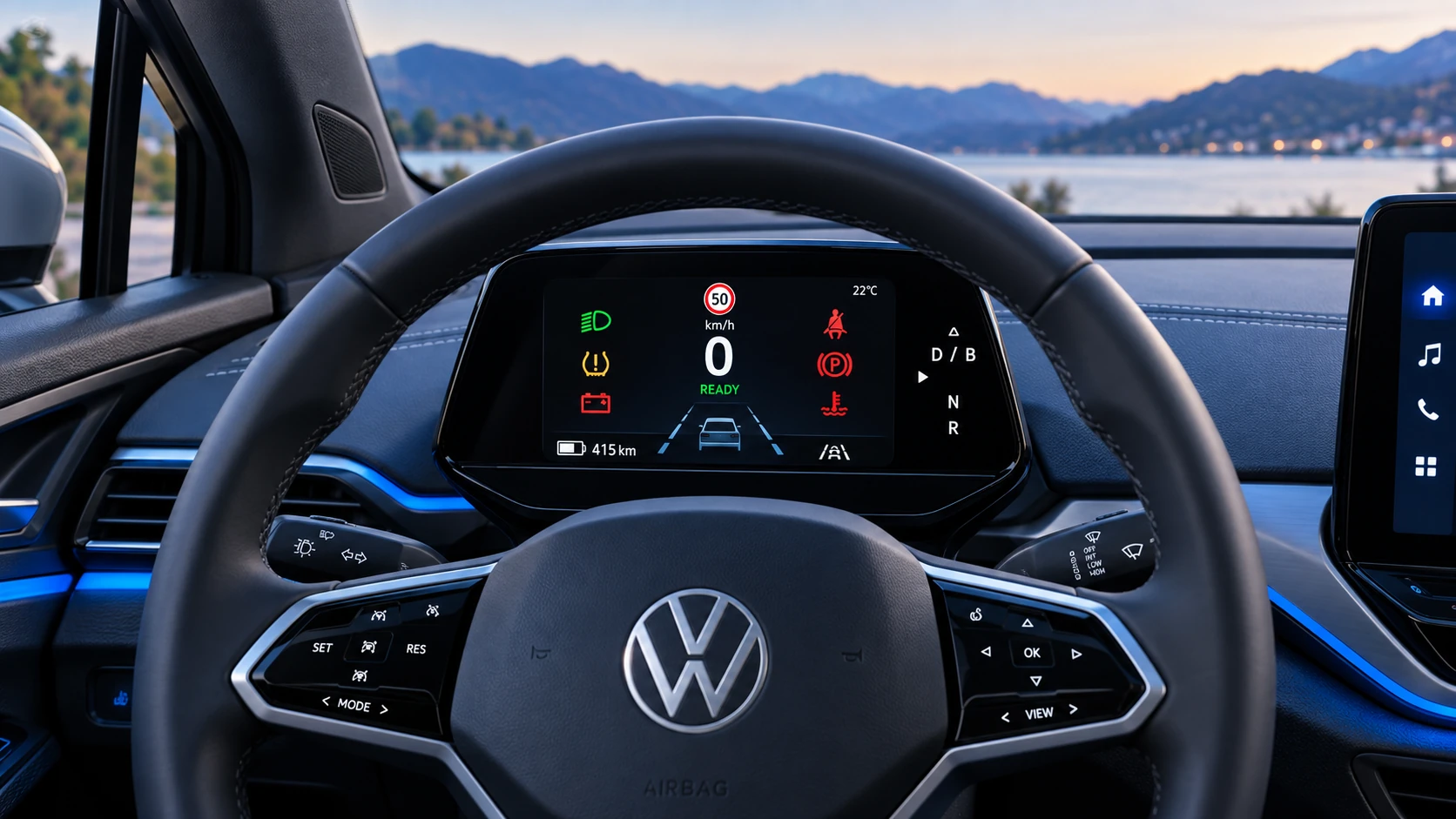 ID.4 Guide
A practical overview of Volkswagen ID.4 instrument cluster symbols, warning lights and status indicators to help drivers understand the display quickly.
Read guide ID.4 Guide
How to switch the Volkswagen ID.4 ignition on and off correctly, including the basic operating conditions and what the driver should expect from the vehicle.
Read guide